

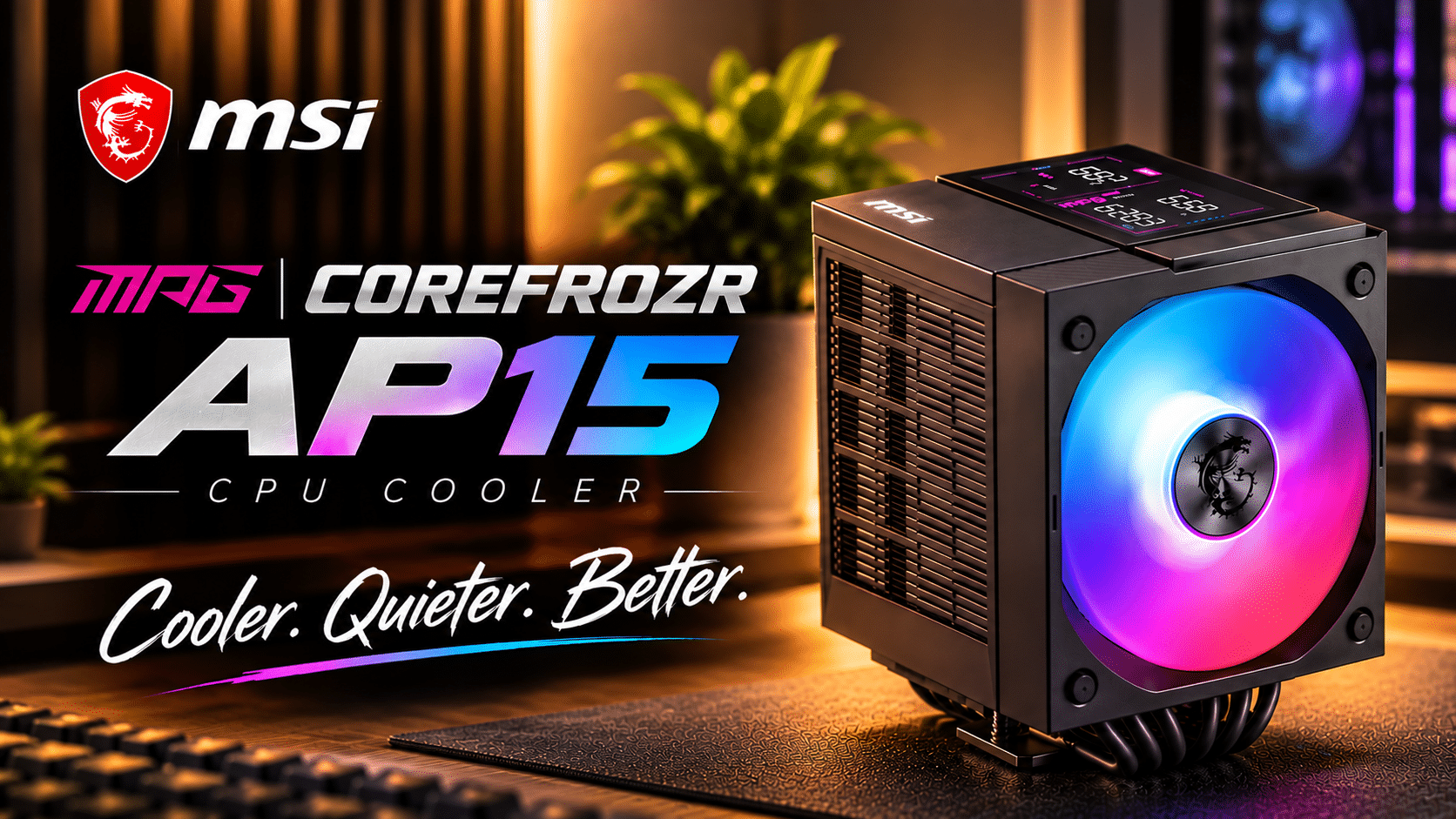
A dual tower air cooler with a built in digital display, six composite heat pipes and a clever installation design. MSI’s MPG COREFROZR AP15 brings something different to traditional air cooling, but its thermal performance tells an interesting story.

Air coolers have come a long way. While liquid cooling has become increasingly popular, particularly among enthusiasts building high performance systems, a good dual tower air cooler remains a perfectly sensible option. And honestly, there’s something appealing about a cooling solution that doesn’t require a radiator, pump or additional tubing running around your PC. MSI seems to understand that, but rather than simply introducing another conventional dual tower cooler, the company has added something a little different to its latest offering.
A closer look at the MSI MPG COREFROZR AP15

The AP15 is a substantial dual tower air cooler, and its size is something worth considering before making a purchase. If you’re working with a compact PC case, checking your CPU cooler clearance is essential as the heatsink is about 168mm in height.
Inside the box, MSI includes the cooler(preinstalled with fans), display module, thermal paste, mounting hardware and a screwdriver to help with installation. There’s also a cable with branch connectors for connecting the cooler’s components through MSI’s EZ Conn header. This is a welcome approach to cable management, especially for anyone who prefers a cleaner looking build without having multiple individual cables running across the motherboard.
Dual towers, six heat pipes and two fans
Cooling is handled by six composite heat pipes that transfer heat away from the CPU and distribute it across two heatsink towers. The two towers feature different widths, while the cooling setup uses two fans with different maximum operating speeds. The front fan operates at up to 2,000 RPM, while the middle fan is rated at up to 1,600 RPM. I find the difference in fan speeds an interesting approach. Rather than having both fans operate at identical speeds, MSI uses this configuration as part of its strategy to reduce noise without sacrificing cooling performance.
Of course, actual noise levels will depend on fan curves and system load, but it’s a sensible design consideration. The overall construction is what you’d expect from a sizeable dual tower cooler. Nothing particularly revolutionary about the heatsink arrangement itself, but MSI has clearly put more thought into the features surrounding it.
The digital display is the main attraction

Let’s be honest. The biggest attraction here isn’t the six heat pipes or the dual fan configuration. It’s that display sitting right on top. The AP15 features a digital display capable of showing live CPU information, including temperature, utilisation and clock speed. It’s a nice addition for anyone who likes monitoring their system without having to keep a monitoring window open on their desktop.
What I particularly appreciate is how MSI has implemented it. The display attaches magnetically through pogo pin connectors, meaning there’s no additional cable running directly to the display module. It can also be removed easily whenever you need access to the mounting screws.
It’s a small detail, but one that becomes particularly useful during installation. The display does require MSI’s Easy Display AP15 software to function, so you’ll need to install the accompanying utility to get the most out of it. Still, I like the idea of having useful system information displayed directly on the cooler. It’s one of those features that makes a PC build feel a little more personalised without relying entirely on RGB lighting.
Installation: A surprisingly clever approach
Installing a large dual tower air cooler can sometimes be a frustrating experience, particularly when access to the mounting screws is restricted by the heatsink or middle fan. MSI has addressed this rather neatly.
Once the mounting bracket is installed, the display module can be removed to provide direct access to the mounting screws from the top. This allows you to secure the cooler without having to remove the middle fan, something that can be necessary with other dual tower designs. Once everything is secured, simply snap the display back into place, connect the cable and you’re good to go. It’s a small design consideration, but one that makes a difference during installation. The removable display isn’t just there for aesthetics; it serves a practical purpose.
The AP15 supports Intel LGA 1851 and LGA 1700 platforms, alongside AMD AM5 and AM4 sockets. This gives it compatibility with a fairly broad range of current and previous generation desktop platforms. For this review, I paired it with the Intel Core Ultra 7 270K Plus.
Cooling performance: Good at 150W, but 250W is a different story


Now, this is where things get interesting. A digital display is nice to have, but ultimately, the job of a CPU cooler is to keep your processor running at a reasonable temperature. That’s what matters most to me.
I tested the AP15 at two different processor power levels, starting at 150W. At 150W, the AP15 recorded a temperature of 62.3°C. That’s a respectable result, coming within approximately 5°C of the best performing cooler in this comparison. For an air cooler, that’s certainly encouraging.
However, when the power draw was increased to 250W, the temperature climbed to 93.5°C. That’s a considerably different result, and it shows where the limitations of this cooling solution start becoming apparent. To be fair, 250W is a substantial thermal load for an air cooler. The AP15 isn’t going to outperform the Noctua NH D15 G2, nor is it going to compete with the 360mm liquid coolers featured in the comparison.
But that’s not necessarily the point. The AP15 still delivers solid cooling at more moderate power levels. It’s just that if you’re planning to push a high end processor particularly hard, you’ll want to consider a more capable cooling solution. This is also where the digital display becomes useful. Being able to glance at your CPU temperature while the system is running gives the feature a practical purpose beyond simply looking good.
RAM clearance and motherboard compatibility

Large dual tower coolers can introduce another concern for PC builders: memory clearance. MSI uses offset heat pipes in the AP15 to improve compatibility with memory modules, and the company claims 100% memory clearance. In my build, the RGB memory modules sit alongside the cooler without any physical interference. This is particularly useful if you’re using taller memory modules with RGB lighting, where clearance can become an issue with conventional dual tower designs.

For the majority of motherboard configurations, compatibility shouldn’t be a major concern. However, there’s another detail worth mentioning. Depending on your motherboard’s layout, the AP15’s size and surrounding heatsink arrangement may affect access to certain components. In my configuration, I noticed that only one NVMe drive could be tucked in through the VRM armour and heatsink arrangement. This is something worth checking before installation, particularly if your motherboard armor is taller than usual. It’s not necessarily a deal breaker, but it’s a compatibility consideration that shouldn’t be overlooked when planning a build.
Is the MSI MPG COREFROZR AP15 worth considering?

The MSI MPG COREFROZR AP15 is an interesting take on the traditional dual tower air cooler. It doesn’t necessarily bring revolutionary changes to the way air cooling works, but MSI has introduced a few thoughtful features that make the overall experience more convenient.
The digital display is undoubtedly its biggest selling point. Being able to monitor CPU temperature, utilisation and clock speed directly from the cooler adds a unique visual element to a PC build. More importantly, the magnetic attachment and removable design make it genuinely useful during installation. I also appreciate the attention given to installation accessibility. Being able to reach the mounting screws from the top without removing the middle fan is a small but meaningful improvement.
Thermally, however, expectations need to be realistic. At 150W, the AP15 delivers respectable results. At 250W, temperatures climb considerably, and it falls behind the higher performing air and liquid cooling solutions. But that’s not necessarily a reason to dismiss it. Not every PC build needs a 360mm liquid cooler, and not every processor needs to operate at extreme power levels.
If you’re looking for a dual tower air cooler with a distinctive display, convenient installation and good everyday cooling capability, the AP15 is certainly worth keeping on your shortlist. It may not top the thermal charts, but it does offer something a little different from the usual air cooler experience.
Verdict: The MSI MPG COREFROZR AP15 is a feature focused air cooler that gets the practical details right. Its live display, top access installation and memory friendly design make it an appealing option, provided you understand its limitations under heavier thermal loads.
What I liked
- Magnetic digital display with live CPU monitoring.
- Clever top-access mounting system.
- No need to remove the middle fan during installation.
- Good memory clearance, including with RGB RAM.
- Respectable cooling performance at 150W.
- Convenient cable connectivity.
What could be better
- Thermal performance drops off considerably at 250W.
- Large physical footprint requires careful case compatibility checks.
- Display functionality requires MSI’s dedicated software.
- Motherboard M.2 and heatsink clearance should be checked before installation.
Our Rating : 7 out of 10.